
ZS Offshore

Welcome to the Network

We are both grateful and humbled that you've elected to have Sedna become a member of your crew. She will dig deep to earn her spot. Although she may not be able to tie a FG knot or clean the trip's fish, she can certainly improve the chances that those skills are needed.

So let's get you oriented.

The Sedna Co-Captain Network runs on two products that work together. Understanding how they fit into your routine is the single most important thing you can do right now.

@Desk
Before the Trip
Pre-trip intelligence built for your boat
Pre-trip briefing reports are generated directly from the Captains Portal. Sedna builds a formatted, vessel-specific briefing document you can review, approve, and share with your guests.
1
Start a briefing request
From your Dashboard or the Home page, click Request @Desk Briefing.
Via Portal
Click Request @Desk Briefing from your Dashboard or Home page. Fill out a short questionnaire and Sedna generates your briefing right in the portal. Review it, approve it, then share it with your crew by email, text, or both.
Via Text Coming Soon
Text "Plan Trip" to Sedna's number. She replies with a link to the questionnaire right on your phone.
2
Complete the pre-trip questionnaire
Sedna sends you a short questionnaire covering your trip date, destination, target species, departure port, preferred methods, and timing. Fill it out — this is what Sedna uses to build your personalized briefing.
3
Preview and review your briefing
Once the questionnaire is complete, Sedna generates your briefing and renders it right in the portal. Review the full document — conditions, tactical recommendations, run plan, and more. If it looks good, approve it.
@Desk Pre-Trip Briefing

Conditions Summary

Target AreaHudson Canyon, South Wall
SST (current)68.4°F — up 1.2° from 5-day avg
Thermal BreakSharp edge at 100 fathom line, 4.1° differential
CurrentSW 1.2kt along south wall
Solunar Rating8/10 — major feed 0630-0830

Tactical Recommendation

Based on the 4.1° thermal break at the 100-fathom contour, set your trolling spread along the south wall starting at the break. Yellowfin have been concentrating in 67-70°F water this week. With your fuel capacity, you have a comfortable round-trip margin of 40% to Hudson from your home port.
4
Approve and share
Once the briefing looks right, hit Approve and choose how to receive it — email, text, or both. Forward it to your guests so everyone on the boat has the same intelligence before you leave the dock. Your briefing is also saved to your Trip Reports for future reference.

Why this matters

Every @Desk briefing draws from the same oceanographic models and fleet intelligence that Sedna uses across the network. The more the network grows, the more precise these briefings become. Your request starts the loop.
@Dock
Back at the Dock
Snap it. Send it. Sedna handles the rest.
@Dock turns your catch photos into structured trip data, personalized Angler Cards, and Captain's Reports — from a single email or text message. The process starts on the water and finishes before you leave the cleaning station.
1
Download the GotOne app
If you don't already have it, download GotOne on your phone. This is the app you'll use to photograph and tag each catch as it comes over the rail. Setup takes about a minute.
2
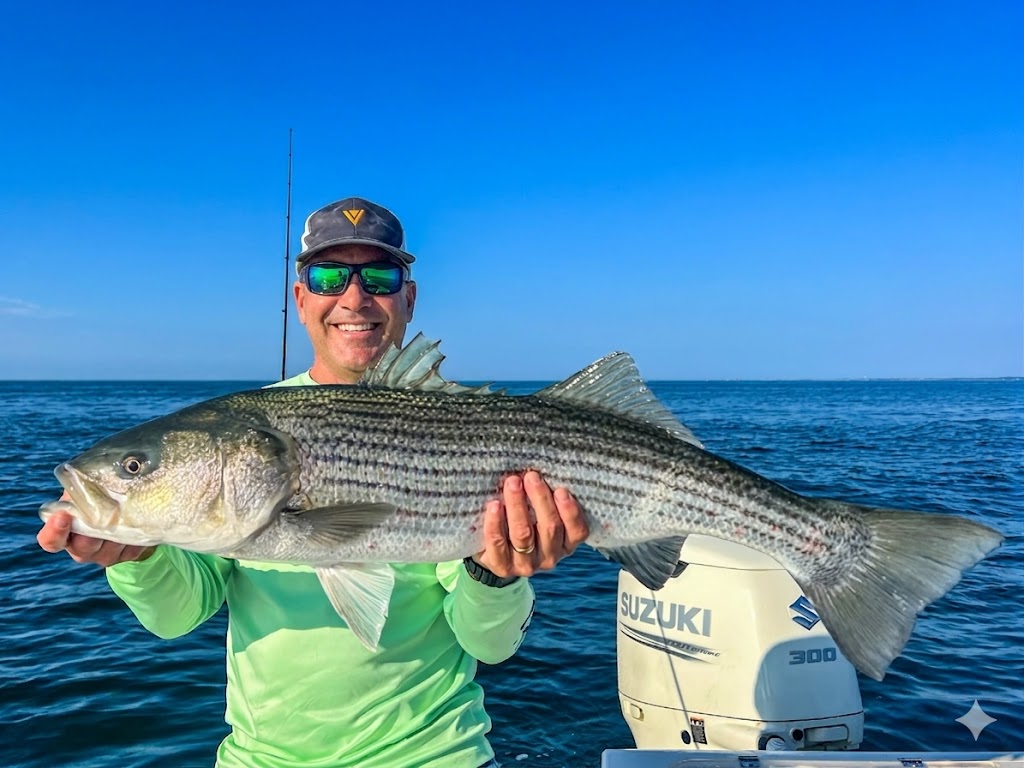
Photograph each fish with the angler
As each fish is landed, snap a photo of the angler holding the fish using the GotOne app. One photo per fish, with the person who caught it. GotOne captures a significant portion of the data Sedna needs — but not all of it.
3
Tag each catch in GotOne
For each fish, enter the species and size, the method used, and whether it was kept or released. In the notes field, include the angler's name — this is key for generating personalized Angler Catch Cards later. Add anything else notable about the catch or the day.
4
Take three overlapping screenshots per catch
For each catch entry in GotOne, snap three overlapping screenshots from the app. These screenshots are how the data gets to Sedna — they capture the photo, the tags, and the metadata all in one bundle.
5
Send everything to Sedna in one message
Attach all screenshots for the trip and send them in a single message. Nothing more than the photos is needed — Sedna extracts everything from the images. Choose whichever method works best for you:
Via Email (Recommended)
Email your GotOne screenshots to sedna@zsoffshore.life. Attach all screenshots for every catch in one email. Include your registered phone number in the subject line so Sedna can identify you. This works from any email address — yours, your mate's, or crew.
Via Text Coming Soon
Text your GotOne screenshots directly to Sedna's number. She identifies you by your registered phone number and processes the catch automatically.
You
GotOne catch photo GotOne location data GotOne catch details
3 of 12 GotOne screenshots
6
Sedna processes the photos
From the images, Sedna extracts all catch-related details: species identification, size and weight estimation, GPS coordinates, water conditions, catch method, angler name, and whether each fish was kept or released. The data is structured, validated, and filed into your trip record on the portal.
7
Reports come back to you within minutes
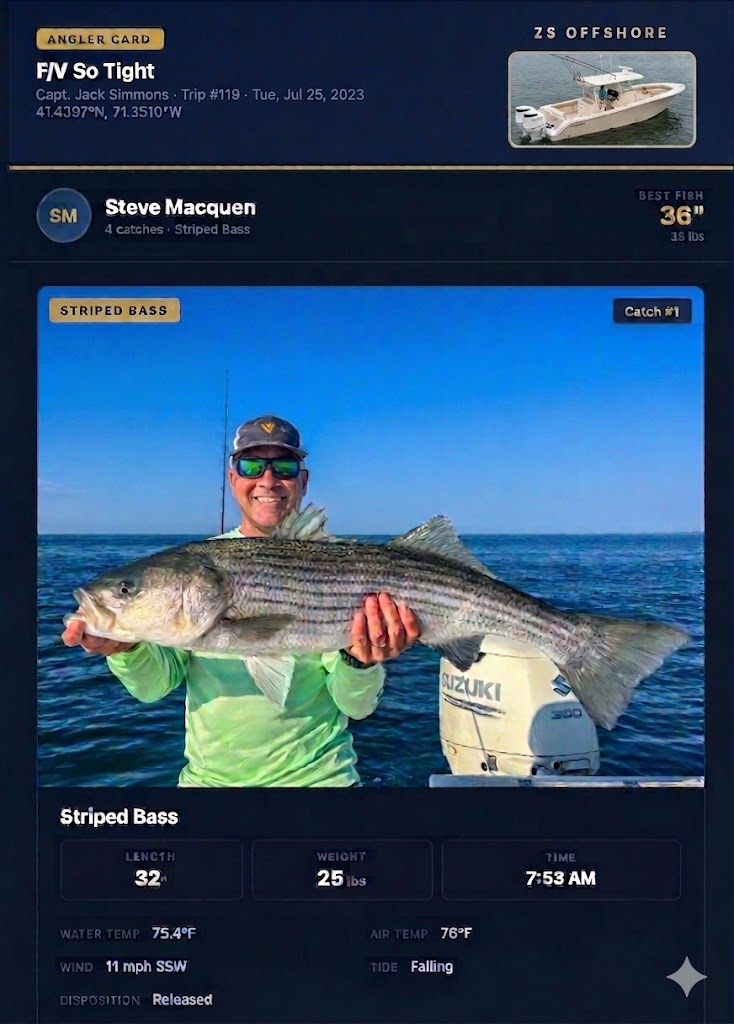
Sedna sends back individual @Dock Angler's Cards — branded, per-angler report cards featuring the catch photo, species, size, weight, method, and conditions — plus a @Dock Captain's Report with the full trip record: total catch count by species, location, SST, water color, tide stage, moon phase, and fishing duration. Reports are delivered via email or text, depending on how you submitted.
Sedna
Trip logged. 4 yellowfin (18-32 lbs), 2 mahi (8-12 lbs, released). Hudson south wall, 68.4°F SST. Your Angler Cards and Captain's Report are ready — check your email and your dashboard.
8
Everything lands on your portal dashboard
All catch data, reports, and photos also appear on your portal under Catch Log, Reports, and My Trips. Your records are always accessible and organized by trip.
9
Your data strengthens the network
Your catch data — aggregated across the fleet — feeds into Sedna's intelligence models. Species timing, condition correlations, fleet-level patterns. Your reports make your own @Desk briefings more accurate, and they do the same for every captain in the network.

The loop that powers everything

@Desk gives you intelligence before the trip. @Dock captures what actually happened. That feedback loop is the engine of the entire network. Without your catch reports, the intelligence stays static. With them, it compounds with every trip across the fleet.

@Helm is coming

Real-time decision support on the water via Starlink. Live SST overlays, adaptive tactical recommendations, and condition updates pushed to your helm station while you fish. Built by captains, for captains — and shaped by every trip you log through @Desk and @Dock.

On the Horizon

You're set up

Your profile is in the system and Sedna knows your boat. Request your first @Desk briefing from the portal when you're ready. Download GotOne so you're set to log catches, then email your screenshots to sedna@zsoffshore.life when you get back.

Skip for now — I'll explore on my own